Share
The right glow behind your screen can make a standard TV unit feel like the centrepiece of the room. The best TV ambient lighting does more than look good in a photo: it softens harsh screen contrast, adds atmosphere for film nights, and makes every game world feel bigger than the display itself. Whether your setup lives in a bedroom, a shared flat, a gaming room or a compact home office, ambient light is one of the fastest ways to give it a serious upgrade.
What makes the best TV ambient lighting?
There is no single winner for every room. A bright, fast-changing sync setup can be amazing for competitive gaming, but it may feel distracting during a quiet drama. A warm white backlight can make a living room feel polished, yet it will not deliver the neon energy that suits a streamer’s desk.
The best choice is the one that matches how you actually use your TV. Think about the size of the screen, the wall behind it, where you sit, and whether you want a fixed mood or reactive effects. Good ambient lighting should feel intentional, not like a strip of LEDs stuck to the back of a screen.
For most people, that means prioritising even light spread, adjustable brightness, reliable controls and colours that look rich rather than washed out. App control is a major plus because it lets you switch from a low-key cinema scene to full RGB gaming mode without leaving the sofa.
Choose your lighting style first
LED strip lights for an easy transformation
An RGB LED strip fitted around the rear edge of the TV is the go-to starting point. It is affordable, space-saving and delivers a clean wall-wash effect that instantly gives the screen more presence. This option works especially well in bedrooms, student rooms and smaller living spaces where you want maximum visual impact without adding more furniture.
Look for a strip that can be cut to size only where the product instructions allow it, and measure your TV before ordering. A strip that is too short leaves obvious dark patches; one that is too long can bunch around the corners and spoil the finish. For a 55-inch or 65-inch screen, consistent coverage around all four sides usually creates the strongest result.
Smart strips are worth considering if you like changing your room’s vibe regularly. Set a soft amber or warm white tone for a relaxed film, deep blue for late-night gaming, or match the lights to your wallpaper, desk accessories or wall panels. One setup can have far more than one personality.
TV sync lighting for maximum immersion
Sync lighting changes colour in response to what is happening on screen. Explosions, race tracks, cosmic scenes and colourful games can spill beyond the TV and onto the wall, making the whole setup feel more alive. For gamers and action-film fans, this is usually the most dramatic route.
There are two common approaches. Camera-based systems read the colours from the screen, while HDMI-based systems read the signal from a connected device. Camera systems can work with more sources, including built-in TV apps, but the camera must be placed carefully and may not appeal to everyone visually. HDMI systems can be more precise, although they usually only work with devices connected through the HDMI box.
Sync effects are exciting, but brightness matters. If the room is already packed with bright desk lights, wall lights and a glowing PC, keep the TV backlight at a lower level. The screen should remain the star, not compete with a light show behind it.
Floor lamps and light bars for a softer look
Not every TV wall suits an adhesive strip. If you rent, move furniture often, or want a more flexible layout, RGB floor lamps and light bars are a smart alternative. Position one or two behind the TV unit, at either side of a media console, or in the corners of the room to create depth without attaching anything to the screen.
This style feels more decorative and can light the room even when the TV is off. A pair of vertical lamps can frame the display beautifully, especially against a plain wall. Light bars are brilliant for low TV stands, shelves and gaming desks where you want a clean, directional glow.
Placement matters more than you think
Even premium lighting can look underwhelming when it is fitted in the wrong place. For LED strips, place them a few centimetres in from the outer edge of the back panel rather than directly on the edge. This gives the light room to spread out across the wall and reduces visible hot spots.
Before sticking anything down, wipe the rear of the TV with a dry, lint-free cloth and let it fully dry. Dust and heat can weaken adhesive over time. Take a minute to plan where the cable will exit, too. A dangling lead can ruin an otherwise tidy setup, while a cable clip or discreet route behind the stand keeps the finished look sharp.
The wall itself changes the effect. White and pale grey walls reflect colour strongly, so you can use lower brightness and still get a vivid result. Dark paint absorbs more light, which creates a moodier look but may need a brighter strip or extra lamps nearby. Textured walls can make the glow more scattered, which some people love for a softer, less uniform finish.
Pick colours that suit what you watch
RGB is all about choice, but random colours can make a setup look chaotic fast. Build a few go-to scenes instead. For films and binge-watching, warm white, amber, soft violet or low-saturation blue feel comfortable and cinematic. Keep the brightness modest, especially in a dark room.
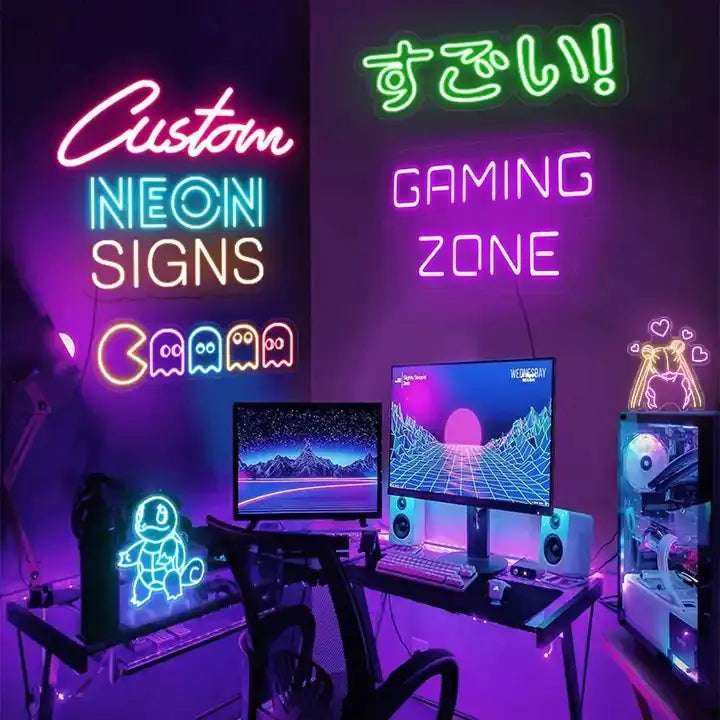
For gaming, colour can be more expressive. Cyan and magenta bring instant cyber energy, while green or red can match a favourite game, team colours or PC components. If your desk has RGB peripherals, use one main colour and one accent colour rather than setting every device to a different mode. Your setup will look more premium, and it will photograph far better.
For sports or daytime viewing, neutral white bias lighting is often the practical favourite. It reduces the intense contrast between a bright screen and a dark wall without pulling focus away from the match. A neutral white setting also works when other people in the room are not quite as committed to the RGB lifestyle as you are.
Smart controls make ambient lighting easier to live with
The magic wears off quickly if you have to reach behind the TV every time you want to change the lights. App-enabled lighting gives you control over brightness, colour, schedules and effects from your phone. That means your evening scene can be ready before you press play, and your gaming colours can switch on as part of your usual setup routine.
Schedules are genuinely useful. Set a lower, warmer scene for later in the evening so the TV area feels inviting rather than overly bright. If your lights support music-reactive modes, save those for parties, gaming sessions or a pre-stream energy boost. Constant pulsing can be fun for ten minutes and tiring for three hours.
Also check where the power comes from. USB-powered lights are neat and convenient, but some TV USB ports turn off with the screen or do not provide enough power for longer strips. Mains-powered options can be more reliable for larger setups, though they require a nearby socket and slightly more cable planning.
Common mistakes to avoid
The biggest mistake is treating brightness as the goal. Ambient lighting works best when it supports the screen, not when it floods the entire room. Start at around a low-to-medium setting and adjust after watching something with both dark and bright scenes.
Avoid placing lights where they shine directly into your eyes or reflect off glossy TV furniture. Do not use rapid flash modes for long viewing sessions, either. They can become distracting and may be uncomfortable for some viewers.
Finally, do not forget the rest of the room. A TV backlight looks even better when it has a little company: a subtle lamp beside the sofa, a soft glow near a shelf, or coordinated desk lighting if your TV shares space with a gaming setup. RGB Illuminations products make it easy to build that layered look at your own pace, from one simple strip to a fully colour-curated room.
Your TV does not need a full renovation to feel like a better place to watch, play and switch off. Start with the wall behind the screen, choose a colour scene you will genuinely use, and let the lighting turn ordinary downtime into a setup worth looking forward to.