Share
A smart galaxy projector can make a plain ceiling feel like the most dramatic part of your room. In this smart galaxy projector review, we look past the viral videos to assess what these compact mood-makers actually bring to bedrooms, gaming dens, flats and late-night wind-down routines.
The short answer? A good one is absolutely worth it if you want instant atmosphere without rewiring a room, mounting expensive panels or filling every spare socket with lighting. It is not designed to replace your main light, and it will not create a scientifically accurate planetarium. What it can do is wash your space in moving nebula colour, scattered stars and the kind of low-level glow that makes a desk setup, film night or chill playlist feel far more intentional.
What a smart galaxy projector really changes
The appeal is less about lighting a room and more about changing its mood. Switch off the harsh ceiling light, point the projector towards a clear wall or ceiling, and the room immediately feels softer, deeper and more immersive. That is why galaxy projectors have earned a place beside LED strips, wall panels and ambient lamps in modern setups.
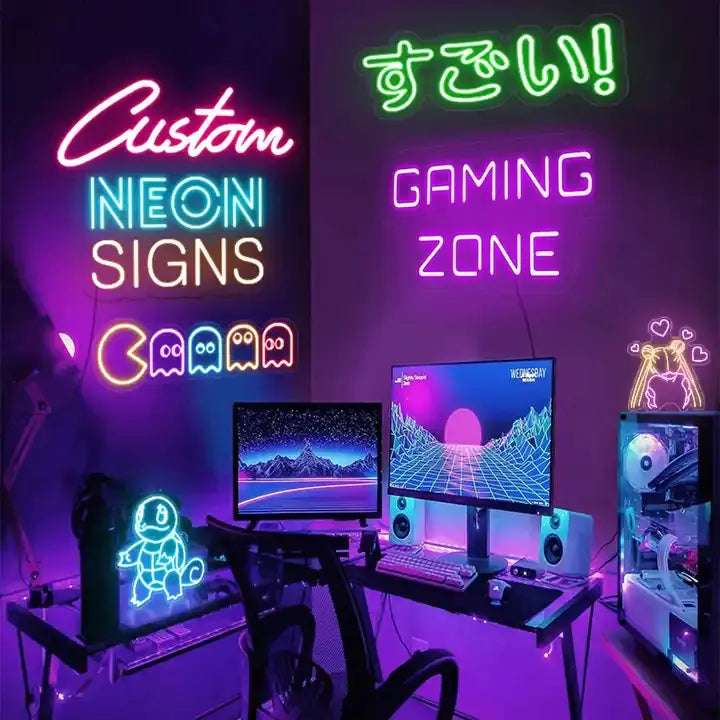
For gamers, the effect is especially strong. A slow-moving blue and purple nebula behind a monitor can make an ordinary session feel like a proper event. For a bedroom, warm pinks, soft blues or a low-brightness star field give you a more relaxing place to scroll, read or get ready for sleep. In a shared flat or student room, it is a quick way to put your own stamp on a space without drilling, painting or making permanent changes.
Smart models take the experience further. Rather than getting up to press buttons whenever you want a different vibe, you can usually control colour, brightness, motion and timers from an app, a remote or voice control. That convenience sounds small until you are under a blanket, halfway through a film, or locked into a competitive match.
Smart galaxy projector review: the features that matter
Not every projector earns its place in a setup. The smartest purchase is not always the one with the longest feature list. It is the one whose effects, controls and placement work with how you actually use your room.
Nebula colour and star effects
Most galaxy projectors combine two visual layers: a coloured, cloud-like nebula effect and sharper laser-style stars. The nebula is responsible for the dreamy, room-filling wash of colour. The stars add depth and make the ceiling feel less flat.
Look for adjustable colours rather than one fixed blend. Being able to move from icy blue during a late gaming session to a calmer red or amber tone before bed gives the projector much more staying power. Some models let you combine colours, while others offer preset scenes. Presets are quick and easy, but custom control is better for people who care about matching their existing RGB lighting.
Star effects are subjective. A dense field can look spectacular in a dark room, but too many bright dots may feel distracting when you are trying to relax. Adjustable star brightness matters more than having hundreds of stars. It lets you keep the effect subtle when the room needs to feel calm, then push it further when friends are over or you are filming setup content.
App control that is genuinely useful
A smart projector should feel easier to use, not like another app you forget exists. The best controls let you change the basics in seconds: colours, brightness, movement speed, star mode and power. Scheduling is a genuinely useful extra too. Set a switch-off timer for bedtime, or have the projector come on as part of your evening wind-down.
WiFi control can be a win if you already use smart bulbs or LED strips. It gives your lighting a more coordinated feel, especially when voice assistants or routines are involved. Bluetooth control is often simpler for a single projector in one room. Neither is automatically better. Choose WiFi if your goal is a connected smart-home scene; choose straightforward controls if you mainly want to switch on a great-looking effect after work, study or gaming.
One practical note: keep the remote. Apps are brilliant for fine-tuning, but a physical remote is often the fastest option when guests want a different colour or you need to dim the room instantly.
Motion, sound and timers
Slow motion is where a galaxy projector shines. A drifting nebula effect makes a space feel alive without demanding attention. Faster movement can be fun for parties, but it is rarely the setting you will use every evening. Ideally, the speed control should let you slow the effect right down.
Some projectors include music-reactive modes through a built-in microphone. This can add energy to a party, a stream background or a gaming space with music playing. The trade-off is that sound-reactive lighting can become frantic, particularly if the microphone picks up keyboard clicks, voices or TV dialogue. Think of it as an occasional bonus rather than the main reason to buy.
Timers are less flashy but more valuable. If you like falling asleep with ambient lighting on, an auto-off setting means you do not have to choose between comfort and leaving the projector running all night.
Where it works best
Galaxy projectors perform best in a darker room with a clear ceiling or light-coloured wall. You do not need total darkness, but bright overhead lighting will weaken the effect. If the room has bold patterned wallpaper, heavy ceiling texture or lots of reflective surfaces, the projection may look less crisp.
Placement makes a bigger difference than most people expect. Put the projector on a bedside table, shelf or desk where it can throw light across the broadest, clearest surface. A low angle can create a dramatic wall-and-ceiling blend; pointing it upwards creates the classic overhead star field. Try it in a few positions before settling on a permanent spot.
For a gaming setup, place it behind or beside the screen rather than directly in your line of sight. You want the room to feel more immersive, not for bright stars to compete with the action on-screen. For sleep spaces, keep brightness lower and choose gentler colours. Deep blue may look incredible, but a softer warm scene often feels more restful when it is time to switch off.
The trade-offs before you buy
A galaxy projector is ambient décor, not task lighting. You will still need a desk lamp, ceiling light or other practical source for homework, grooming or finding a cable behind your TV. Its job is to make the room feel better, not to light every corner clearly.
The projection also depends on distance and room size. In a compact bedroom or dorm room, even a small projector can create a huge impact. In a large open-plan lounge, the same unit may look more decorative than room-filling. Bigger is not always better, but it is sensible to match your expectations to the space.
There is also a difference between a fun effect and a polished one. Cheaper projectors may offer bright colour but limited adjustment, louder operation or less consistent coverage. If you know you will use it every night, smoother movement, reliable controls and brightness adjustment are worth prioritising over novelty extras you may only try once.
Who should buy one?
A smart galaxy projector is a strong choice for anyone who wants a dramatic upgrade with almost no setup. It works brilliantly for gamers building a more immersive battle station, renters who need non-permanent décor, students making a small room feel more personal, and people who want a calmer night-time routine.
It is also a smart gift because it is easy to enjoy straight away. No complicated installation, no design expertise and no need to commit to one permanent colour scheme. Pair it with LED strips or a smart lamp and you can build different scenes for gaming, films, guests and quiet evenings without changing the room itself.
At RGB Illuminations, the appeal is simple: the right lighting lets your room reflect your mood, not just serve a function. A galaxy projector is one of the quickest ways to make that change visible.
Our verdict
A smart galaxy projector is worth it when you want atmosphere on demand and you value control over colour, movement and brightness. Focus on adjustable nebula effects, dimmable stars, useful timer settings and controls you will actually use. Do not buy one expecting a bright room light or a museum-grade view of space.
Give it a clear ceiling, a dark enough room and a scene that suits the moment. Whether you are levelling up a gaming corner or turning your bedroom into a softer place to land at the end of the day, a little projected colour can make the whole room feel like yours.