Share
Your desk can have the fastest PC, the cleanest cable management and a seriously good monitor - but if every RGB light is doing its own thing, the whole setup feels less polished. Learning how to sync rgb lights is what turns a collection of smart bulbs, strip lights and gaming accessories into one immersive scene.
The good news: you do not need a complicated smart-home installation to make your room feel coordinated. You just need compatible products, a clear control plan and a few minutes to set up your favourite colours, effects and schedules. Whether you want a chilled sunset glow for winding down or a full reactive gaming mode, here is how to get your lighting moving together.
Start with one RGB control system
The easiest way to sync RGB lights is to keep as many products as possible inside the same app or ecosystem. If your strip lights, smart bulbs, floor lamp and wall panels all use one compatible app, you can usually group them, assign a scene and control them from one screen.
Before installing anything, check how each product connects. Most smart RGB lighting uses Wi-Fi, Bluetooth or a dedicated controller. Wi-Fi products are brilliant for room-wide control, timers and voice-assistant routines. Bluetooth lights are often quick to pair at close range, but may have fewer remote-control options. USB-powered gaming accessories may instead be controlled through PC software.
Mixing brands is possible, but it is where syncing can become less predictable. Two lights may both offer millions of colours yet use separate apps, different music modes or effects that do not match at the same speed. For the cleanest result, build the main lighting layer around compatible smart products, then use other accessories as finishing touches.
How to sync RGB lights in your room
Start by deciding what each light should do. RGB looks far more intentional when there is a hierarchy rather than every surface fighting for attention. Your LED strip behind the desk or TV can provide the main wash of colour. A floor lamp can lift a dark corner. Smart bulbs can fill the room with softer ambient light, while a galaxy projector or light panels create a focal point.
Install each device in its recommended app and give it a simple name, such as “Desk Strip”, “Corner Lamp” or “Bedside Bulb”. This may feel minor at first, but it makes group control much easier when you are building scenes later.
Once every device is connected, create a group or room in the app. Add the lights you want to respond together, then test a single solid colour before trying animated effects. If all devices turn blue, purple or red at the same time, your base setup is working.
Next, save a few scenes you will actually use. A cool cyan and violet scene works beautifully for late-night gaming. Warm amber, pink or soft orange creates a more relaxed bedroom mood. For films, lower the brightness and use a deeper colour behind the screen to add atmosphere without glare.
Do not feel pressured to run rainbow effects constantly. Static colours, gentle fades and two-colour gradients often look more premium on camera and are easier on the eyes during long sessions.
Match brightness before matching effects
A common mistake is setting every light to 100 per cent brightness. This can flatten the room and make individual LEDs look harsh, especially in a smaller bedroom, dorm room or flat.
Set your brightest practical light first, usually the strip behind a monitor, desk or television. Then reduce secondary lights until they support the scene rather than overpower it. A good starting point is keeping accent lamps and bulbs around half to three-quarters of the brightness of your main backlight.
Also remember that different products display colour differently. A blue on one bulb may look slightly cooler than blue on an LED strip. Fine-tune saturation and brightness by eye rather than expecting identical colour values to look perfectly identical across every device.
Sync your desk lights with gaming gear
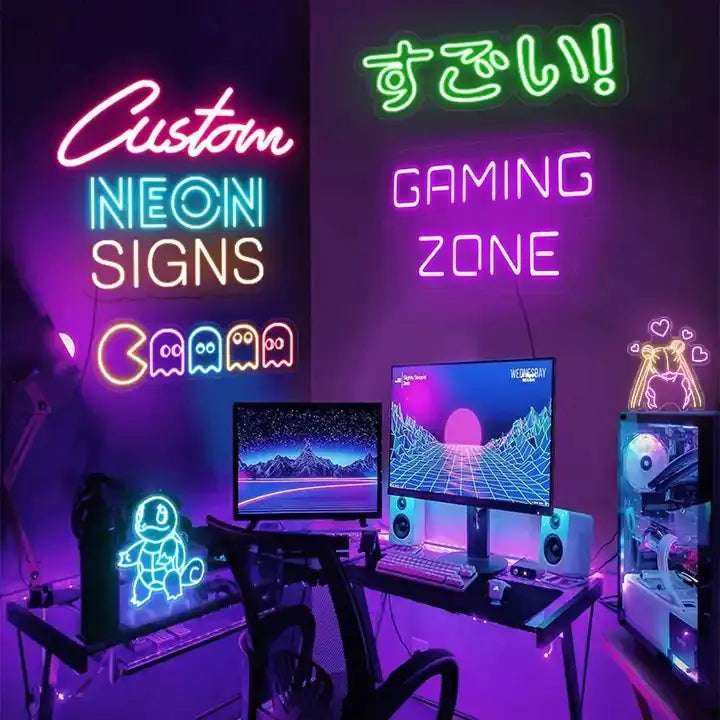
A gaming setup feels especially cohesive when your room lighting and peripherals share the same colour family. Start with the big visual zones: monitor backlighting, desk strips, PC case lighting and a floor lamp behind or beside the desk. Then bring in smaller details such as an RGB headset stand, mouse pad or headset.
If your PC accessories use manufacturer software, look for options such as “sync”, “lighting link”, “game integration” or “music visualiser”. Some software can coordinate compatible peripherals directly, while other setups require separate control for room lights. That is not a deal-breaker. You can still use the same colour palette across both systems for a coordinated look.
For competitive games, consider a steady scene instead of fast animations. Rapid strobing can be distracting when you are trying to track movement on screen. A soft blue or purple backlight helps define the setup without pulling focus from the game. Save high-energy chase effects and reactive music modes for streaming, parties or setup photos.
Use music mode with a little restraint
Music sync is one of the quickest ways to make an RGB room feel alive. Many smart lights use a microphone in the controller, phone or app to react to sound. Put products into the same music mode, play a track with a clear beat and adjust the sensitivity until the changes feel responsive rather than chaotic.
Placement matters here. If the controller microphone is too close to a speaker, it may react to every bass hit with aggressive flashes. If it is too far away, the effect can feel delayed or barely noticeable. Start at medium sensitivity, then make small adjustments.
Music modes also vary between products. One may pulse, another may cycle through colours and a third may only flash white. For a cleaner result, choose an effect style that is available across your main lights. If your lights cannot share the exact same animation, match the colours and use a slower speed. The overall vibe will still feel connected.
Fix RGB lights that will not sync
When lights refuse to cooperate, the problem is usually connection, compatibility or grouping rather than the LEDs themselves. Work through the basics before resetting everything.
First, make sure each device is online and controllable individually in its app. A light that is not responding on its own cannot join a group properly. Check that your phone is connected to the same Wi-Fi network as your smart lights. Many Wi-Fi RGB products need a 2.4 GHz network during pairing, so your router settings may matter.
If a light is visible but slow to react, move it closer to the router where possible or reduce interference from walls, large appliances and crowded wireless devices. For Bluetooth products, stay within range and make sure the app has Bluetooth permissions enabled.
If one product is showing a different colour, remove it from the group, set it manually to the desired shade, then add it back. If it still will not match, update the app or firmware if that option is available. A factory reset should be the last step, because you will need to pair and organise the device again afterwards.
There is also a simple compatibility reality: products from separate ecosystems may never offer true effect-by-effect synchronisation. In that case, create matching scenes in each app, use the same brightness range and activate them at the same time. It takes an extra tap, but it can still transform the room.
Build scenes around real moments
The best RGB setups are not just one permanent preset. Create scenes for the way you actually use your space: a bright daylight white for getting ready, a focused low-distraction mode for work, a warm evening setting and a high-impact gaming scene.
Schedules make the upgrade feel even smarter. Set softer light for the evening, turn off desk lighting when you normally head to bed, or have a favourite scene ready before a gaming session. It is a small change, but it makes your room feel designed around you rather than like a pile of gadgets.
Syncing is not about making every light flash at once. It is about giving your space one visual language. Pick colours that fit your mood, let the biggest lights lead and use the smaller details to make the whole room feel unmistakably yours.