Share
The difference between random RGB and a room that feels designed is intention. Start with the problem you actually want to solve—flat lighting, poor atmosphere, clutter or lack of focus—then choose the light that fixes it.
A galaxy projector can make the same four walls feel completely different after dark. One minute, your bedroom is where you drop your bag and scroll before sleep. The next, it is a soft nebula-lit hideaway with moving stars across the ceiling. Learning how to decorate with galaxy projectors is less about filling every corner with light and more about choosing where that light earns its moment.
The best spaces feel intentional. Think of a galaxy projector as the atmosphere layer in your room: it adds movement, depth and colour above everything else. Your furniture, wall décor and desk setup still matter, but the projector is what ties the whole scene together.
Start with the mood, not the setting
Before you decide where to put your projector, decide what you want the room to feel like. A slow blue-and-violet nebula suits winding down, reading or a relaxed film night. Deep red, electric blue or green can bring more energy to a gaming station or streaming background. Warm white stars with a subtle aurora effect can make a minimalist bedroom feel calm without looking flat.
Try PrismTide™ Water Ripple Projector
If this article describes the look or problem you are trying to solve, this is a natural next step from the RGB Illuminations range. Use it to build the effect intentionally rather than adding random light sources.
Explore PrismTide™ Water Ripple Projector →This first choice helps you avoid a common mistake: pairing every RGB product with a different colour cycle. A room can absolutely be colourful, but it needs a lead shade. Let the galaxy projector set that main mood, then match your LED strips, smart bulbs or wall panels to one or two colours from its projection.
If your projector has app or remote controls, save a few go-to scenes. A low-brightness sleep scene, a clean blue gaming scene and a brighter purple party scene mean your room can change character in seconds without constant fiddling.
How to decorate with galaxy projectors in a bedroom
In a bedroom, the ceiling is usually the main event. Place the projector on a bedside table, low shelf or chest of drawers and angle it towards the widest clear section of ceiling. The projection will look more expansive when it has an uninterrupted surface to travel across, so avoid aiming it directly at tall wardrobes, busy wall art or shelves packed with objects.
Keep the projector slightly off-centre rather than placing it in the middle of the room. This creates a more natural spread and stops the light source becoming the focal point. If you can see the projector from bed, tuck it behind a plant, stack of books or a small decorative object, provided you do not block its vents or lens.
Build the rest of the room around softer textures. Light-coloured bedding, neutral curtains and a simple rug give stars and nebula colours room to show up. Dark navy, charcoal and black can look dramatic too, especially for a space-inspired theme, but they absorb more ambient light. In a darker room, turn down nearby lamps so the projection stays visible rather than competing with everything else.
For a small bedroom or student flat, restraint usually looks more premium. One galaxy projector, one strip of indirect LED lighting behind the headboard, and one accent lamp can create a full mood without making the room feel crowded.
Make your sleep setup work harder
A galaxy projector is not just for the pre-bed photo. Use a timer and a lower brightness setting so it becomes part of your wind-down routine rather than an all-night distraction. Fast-moving patterns and intense reds can feel exciting, but they are not always ideal when you are trying to switch off. Slow movement, dim stars and cool tones tend to feel more restful.
It depends on how light-sensitive you are. If any projection keeps you awake, aim it at the wall opposite the bed instead of directly overhead, or use it while reading and let the timer handle the rest.
Turn a gaming setup into a proper backdrop
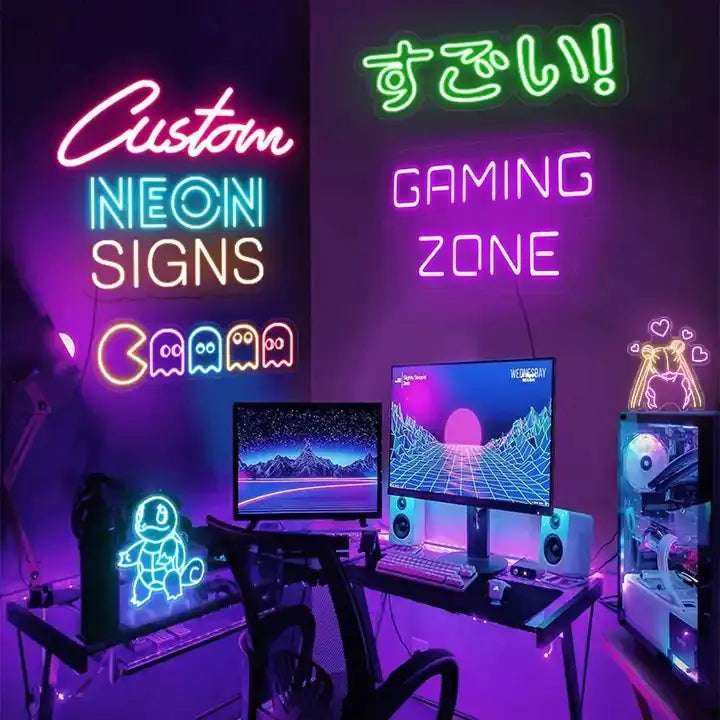
Galaxy projectors shine in gaming rooms because they add scale without taking up desk space. Place one behind or beside your monitor area, pointing at the wall above your setup or across the ceiling. That creates depth in your peripheral vision and gives your room a more immersive feel when the screen is off between matches.
Avoid aiming the projection directly at your monitor. Reflections can be distracting, especially in darker games, and too much moving light near the display can make long sessions less comfortable. The goal is background atmosphere, not visual noise.
Match the projector to the strongest colour in your setup. If your keyboard, mouse pad and headset stand are running cyan, use a blue nebula with white stars. If your desk leans purple and pink, pull that palette across the wall with a soft magenta projection. RGB Illuminations products are made for this kind of layered look: each light has a role, but the space still reads as one setup.
A clean cable route and a clear desktop matter here. Galaxy lighting looks far more cinematic when it is not competing with loose chargers, drink cans and a pile of unopened post. You do not need a showroom desk. Just leave enough negative space for the light to do its thing.
Use the projector to upgrade your lounge
The lounge is where a galaxy projector can feel unexpectedly grown-up. Instead of using the brightest setting, treat it like a feature light for film nights, dinner with friends or a low-key weekend at home. Position it behind the sofa, on a sideboard, or on a corner shelf pointed up towards the ceiling and upper walls.
This placement keeps the beam away from the television while still filling the room with movement. A blue, teal or soft violet setting works beautifully with neutral sofas and wood furniture. For a bolder look, coordinate it with a floor lamp or backlighting behind the TV, but keep one of those sources dimmer than the other.
Projectors work particularly well in lounges with plain ceilings. If you have statement wallpaper or lots of framed prints, send the stars across a clear wall instead. You will get the atmosphere without hiding the details you already love.
Create a layered lighting plan
The rooms people save to their inspiration boards rarely rely on one harsh overhead light. They use layers. Your galaxy projector should be the moving, decorative layer, while other lights handle practical jobs such as getting dressed, finding the remote or seeing what you are cooking.
A balanced setup often includes four light jobs:
- ambient light from a lamp, smart bulb or floor light
- indirect glow from LED strips behind furniture or screens
- decorative movement from the galaxy projector
- focused task light for a desk, mirror or bedside table
The key is contrast. If all lights are at full brightness, none of them feel special. Dim your background lighting slightly and let the stars stay crisp.
Choose surfaces that make the effect pop
White and pale ceilings give you the clearest star field, which is why galaxy projectors often look instantly impressive in rental rooms and newer builds. Smooth walls also work well. Textured ceilings, exposed beams and high-gloss paint can break up the pattern, sometimes in a cool way, sometimes in a messy one.
Test your projector from two or three positions before committing to a permanent spot. A small shift can change whether the nebula lands neatly above the bed, washes over a curtain, or hits a mirror and creates unwanted glare. Mirrors can multiply the effect in a dramatic corner, but use them carefully. Too many reflections can make the room feel busy rather than relaxing.
For the strongest result, close the curtains after sunset and reduce other bright lights. Galaxy projectors are designed for ambience, so they naturally look best in a dimmed environment. Daylight and ceiling lights will soften the colours, especially in rooms with large windows.
Style it for photos without making it feel staged
Galaxy lighting is naturally shareable, but the best images still need a focal point. In a bedroom, let the bed and headboard anchor the shot. At a desk, make the monitor wall your feature. In a lounge, frame the sofa, coffee table and ceiling projection together.
Keep your camera exposure slightly lower than you think. This helps preserve the rich blues, purples and star details instead of turning the room into a bright blur. More importantly, make the setup liveable first. A projector should make your everyday space feel better, not become something you only switch on for a photo.
A galaxy projector gives a room its after-hours personality. Start with one surface, one mood and one complementary source of light, then spend an evening seeing how the space feels. The right setup will not just look impressive when the lights go down - it will make you want to stay in a little longer.
Looking for more ways to transform your room? Explore PrismTide™ Water Ripple Projector and discover more RGB lighting, ambient lighting and gaming room lighting ideas from RGB Illuminations.